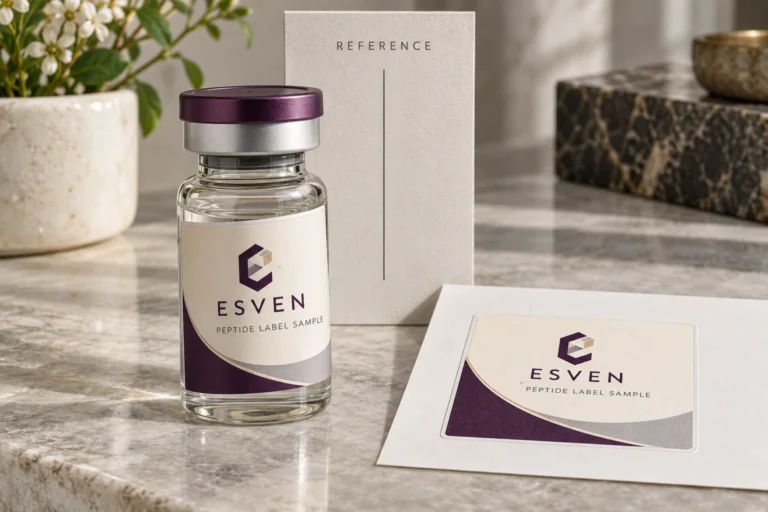
Date Fields on Vial Labels: Approve the Meaning Before the Format
A tidy date can still be ambiguous
A proof shows a short date with slashes. One reviewer reads the first field as the month; another reads it as the day. The typography may be clear while the intended value remains uncertain. Before approving the layout, obtain the responsible owner’s date meaning and display format.
This article concerns the transfer and presentation of authorized packaging data. It does not determine which date a product must carry, calculate expiry or approve product information. Those decisions belong to the appropriate product or compliance authority.

Define each date field’s purpose
Ask what the field represents and who supplies its value. A production date, packing date and another approved date are not interchangeable because they fit the same blank box. Keep the field label and value relationship explicit.
Record the required display format, including month names or numbers, order, separators and any required accompanying wording. Where multiple markets or languages are involved, have the responsible owner approve the relevant versions rather than asking the printer to infer them from a country name.
If the date is not yet available, mark the field as a placeholder and state who will replace it. A demonstration value should not become the production value merely because it appeared in the first proof.
Follow the value through the handover
| Checkpoint | What to establish | Mistake it helps expose |
|---|---|---|
| Source owner | Meaning and approved value | Using the wrong event’s date |
| Transfer file | Literal representation and field type | Automatic interpretation or format change |
| Recipient import | How the workflow reads the value | Day and month reversal or another conversion |
| Generated label | Display format and field label together | Correct value presented ambiguously |
| Release | Approved data version and artwork | A test date left in production output |
The actual software and file format determine the relevant checks. Do not assume a workbook’s displayed date is the exact string another program will receive. Ask the recipient to return a representative interpreted value for comparison.

Work an ambiguous value through to a release
In a fictional review, the supplied value is 04/05/2026. It could be read as 4 May or 5 April. Return it to the authorized owner with the field’s meaning, not just a request to change its punctuation. Suppose that owner confirms 5 April 2026 and accepts 05 APR 2026 for this example. Record both the intended day and the approved display; this is no universal format requirement.
Have the recipient return the interpreted value and generated proof. Compare the field label, actual day, year and display with that authorization. If any differ, keep release open and locate the changed step. A date copied perfectly into the wrong event field is still wrong. A test value should remain identified as a test until the final production data is separately released.
Microsoft’s Excel date-format guidance explains automatic date interpretation and regional display settings. Check the actual software path used by both parties. The data-handover guide covers the separate task of preserving values through export and import.
Use examples that reveal ambiguity
For layout and transfer review, use clearly marked safe examples that exercise the actual format. The data owner should choose examples that make the intended order understandable and include the longest relevant wording. Do not use real confidential production records when a legitimate test value can answer the transfer question.
For custom vial label orders, clarify whether the date will be printed with the main artwork or added later through the buyer’s approved process. A blank field’s position and the final data value require separate approvals. The lot and date printing guide helps decide who prints changing fields and when their values must be available.
If later marking is planned, confirm the actual method and finished surface requirements. A visually suitable date format does not prove that the chosen equipment can reproduce it on the proposed finish. Keep the data and physical printing questions distinct.
Two illustrative date reviews
In one hypothetical project, the buyer supplies an approved literal date string and wants it repeated on a fixed artwork. The reviewer can compare that exact string, field label and layout in the released output. Building a variable-data merge is unnecessary if the task is genuinely fixed.
In another project, date values are imported from a spreadsheet for several versions. The receiving workflow interprets a numeric-looking date differently from the source owner’s intention. The useful correction is to establish the approved meaning and transfer representation, not to change the font or enlarge the panel.
These examples do not establish a universal date format or a regulatory requirement. They show why an apparently small field can need both semantic and technical approval.
Do not repair uncertain dates by guessing
If a value could mean two dates, return to the authorized source. Do not choose the interpretation that fits the schedule or appears more likely. Likewise, a missing year or field label should be resolved by the responsible owner rather than reconstructed from neighboring rows.
A format change can be useful if approved, but it may affect length and layout. Review the longest actual representation at finished size and on the intended vial. A more explicit format is not helpful if it becomes unreadable or conflicts with the required wording.
Keep alternative formats as proposals until selected. Do not leave several date styles in one active data file and expect the designer to choose based on appearance. The release should identify one approved rule for each applicable field or version.
Preserve the approved rule with the data
Keep the field definition, format, source owner and data version together. If the value changes after approval, identify the affected designs and obtain the required replacement release. A late data update can affect printed stock even when the layout is unchanged.
Record what the proof represents. A sample using a demonstration date can approve spacing within its stated scope, but it does not approve the eventual production value. Link the final value and output before release.
A fair alternative may be retaining a simpler fixed-date artwork where the process supports it. Another may be an approved later-printing route where the value is unavailable during the main label order. Choose based on the actual timing and control needs, subject to confirmed service and equipment suitability.
Frequently asked questions
Can the printer decide which date format is correct?
The responsible content owner should approve the meaning and required display. The printer can identify layout or transfer concerns, but should not invent product-information rules.
Does a correctly formatted spreadsheet prove the exported value?
No. Check the actual transferred representation and recipient interpretation. Display formatting and the literal value used by another workflow can differ.
Can a placeholder date approve the final artwork?
It can support a limited layout review if clearly identified. The final authorized value and any changed length still need the appropriate release check.
Submit the date definition
For a label data inquiry, provide the field meaning, responsible approver, approved format, safe examples, artwork and quantity per design. State when the real value becomes available and who prints it. Ask the provider to confirm the available preparation and checking scope for that workflow.