Multilingual Vial Label Artwork: Plan Space Before Translating the Layout
Decide the version structure before shrinking the text
The original vial label fits one language comfortably. The translated wording arrives, and the designer is asked to fit it into the same space. Reducing every line may preserve the rectangle while undermining the reading task. Before adjusting type, decide whether the package should use one combined version or separate language versions.
I would make that choice with the people responsible for approved wording and procurement quantities. It affects available space, review ownership and the number of files and designs the business must control. The printer can help prepare the layout; it should not be left to guess the product wording or market requirements.
Start with approved content, not a translation placeholder
Identify the intended languages and markets, then obtain the wording the responsible reviewers accept. Keep the source wording, translated wording and approval status distinguishable. A temporary machine translation can show possible space demand, but it should not quietly become the released production text.
For custom peptide vial labels, this is a packaging-artwork discussion. It does not decide which statements a product must carry or guarantee acceptance in a particular jurisdiction. The buyer needs qualified review for those requirements before authorizing the content.
Use the actual wording in the proposed dimensions as soon as it is available. Placeholder text may be shorter, miss important characters or create a misleading line break. Record which elements are fixed and which remain subject to approval.
Compare a combined version with separate versions

One combined layout may reduce the number of physical versions while increasing the content on each label. Separate versions may create more comfortable space but add file, quantity and stock-management work. Neither arrangement wins simply because it sounds simpler in an email.
| Decision input | One combined layout | Separate language layouts |
|---|---|---|
| Reading space | All approved wording must fit together | Each version can use its own available area |
| Review | Every language must be checked on the combined proof | Each released language file needs identifiable approval |
| Quantity | Confirm the one design’s actual requirement | State the quantity beside each language design |
| Changes | A change may affect the shared artwork | Identify the affected versions and prevent stale releases |
| Stock identity | One version still needs a clear reference | Separate versions need reliable identification |
Treat this as a decision worksheet, not a claim that both arrangements are available for every label construction. Ask how the chosen design split affects the actual quotation and minimum conditions. A combined total does not silently establish the minimum for each separate version.
Review hierarchy at the size the buyer will hold
Print or otherwise review the proposed layout at its intended physical size. Locate the product identifier first, then the other approved information in the planned reading order. Compare the combined and separate options on the intended vial, not only as enlarged flat pages.
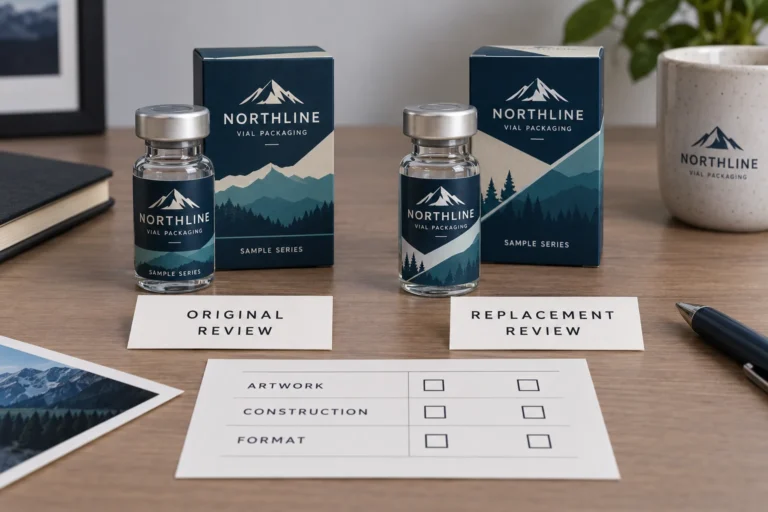
Short descriptors in the fictional image illustrate how a second language occupies space. They are not a complete regulated label, an approved translation service or proof that two actual SKU files are equivalent. The production review must use the buyer’s own accepted content and identifiers.
If the necessary wording does not fit comfortably, identify the real constraint. The next discussion may concern the layout, label area, language-version structure or broader package. Do not authorize deletion of necessary information merely because the original design had an attractive empty margin.
Check characters and output, not only spelling
Ask the reviewer to inspect accents, punctuation, characters and line breaks in the final output. Text that looked correct in an editable document can still require checking after export and placement. The brand should confirm that the intended wording remains intact in the file being approved.
Adobe’s font-handling guidance explains embedding and substitution in PDF creation, including restrictions that can affect embedding. Use the supplier’s file requirements and a suitable output check rather than assuming that a PDF extension alone settles every font issue.
Keep an authorized editable source where available and identify the final output revision. If a technical change is made to fonts or layout, review the result again. Correct translation and suitable file preparation are separate checks; passing one does not establish the other.
Two illustrative projects justify different choices
Imagine a brand with brief approved descriptors in two languages and enough usable label area. A combined layout may remain clear and avoid separate stock versions. The reviewers still need to approve both languages in their final positions, and the supplier must confirm the proposed construction and quantity.
Now imagine a brand whose second language materially expands the content. A separate version may deserve review if the combined option forces uncomfortable reading or an unclear hierarchy. The procurement consequence is an explicit quantity and release record for each design, not an assumption that every version can be mixed under one minimum.
These examples describe possible planning outcomes, not client orders. A counterexample to automatic splitting is a business whose combined approved layout already works well. Adding versions without a useful reason can create avoidable management work. The choice should follow the reading and purchase requirements.
Release language versions as identified designs
Create a concise list with the product or SKU reference, language version, artwork revision, quantity and named approver. Confirm that the final proof matches the intended row. Similar-looking filenames should not make reviewers infer which market or version applies.
The multi-SKU consistency guide covers the broader design-family controls. Use that next when language versions join other product variants. The additional requirement here is that language content and its approval remain visible within the version list.
When wording changes, identify all affected outputs. Do not update one source document and assume every exported file changed with it. Keep superseded versions separate from the current release and communicate the confirmed replacement to the relevant parties.
Questions about multilingual vial artwork
Should I translate after the label design is finished?
Bring the likely language requirements into planning early, then use approved wording for the final layout. A finished single-language design does not guarantee room for another language.
Can I solve limited space by reducing every font?
Do not use that as an automatic solution. Review actual-size reading, hierarchy and required content, then consider the appropriate version or packaging arrangement with the responsible reviewers.
Does a PDF prove the language and fonts are correct?
No. The wording needs qualified content review, and the exported file needs appropriate technical inspection. They are related but separate approval tasks.
What should I submit for layout assistance?
Use the project enquiry form with the vial dimensions, approved wording by language, intended version structure and quantity per design. Mark pending content clearly. Ask for layout and digital-proof assistance around the accepted information rather than treating a provisional translation as a released file.